Where's Zoé? - How to support accents and diacritics in Fabric Data Agents
Sometimes, the AI isn’t wrong, it’s just too literal. You search for zoe and your table contains a Zoé. Your Data Agent confidently replies No results found. Zoé didn’t disappear, she’s just hiding behind an accent!
Let’s unpack why that happens - and how to fix it correctly in Microsoft Fabric.
A Quick Note on Diacritics (and Why They Matter)
Let’s take a simple employee table - with id, department, first and last name. The firm is a French one, so there are quite few accents in names.
id,prenom,nom,departement
1,Jean,Dupont,IT
2,Élodie,Martin,HR
3,François,Lambert,Finance
4,Marie,Curie,IT
5,André,Bernard,Marketing
6,Cécile,Durand,Finance
7,Pierre,Moreau,IT
8,Naïma,Legrand,HR
9,Luc,Petit,Marketing
10,Ève,Robert,IT
11,Paul,Dubois,Finance
12,Zoé,Merci,HR
13,Antoine,Girard,Marketing
14,Ça va,Test,Légal
15,Loïc,Deschamps,IT
16,Inès,Fournier,Finance
17,Thomas,Rousseau,HR
18,Audrey,Tremblay,Marketing
19,Étienne,Perrot,IT
20,Camille,Lefèvre,Finance
So, with this data loaded in a Lakehouse table, and after configuring our Data agent, let’s try to find Zoé.
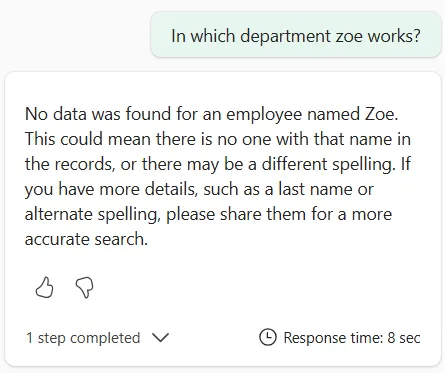
If you read this article title, you are probably expecting that result 🙂. Before jumping into SQL, let’s clarify what we’re dealing with. A diacritic is a mark added to a letter that changes pronunciation or meaning. Like
-
In Latin-based languages-:
-
é, è, ê (French)
-
ñ (Spanish)
-
ü (German)
-
ç (French, Portuguese)
In many countries, removing the accent does not change identity in casual usage. “Zoé” and “Zoe” refer to the same person. But technically, they are different Unicode characters.
Now, let’s look at the SQL query generated by Data Agent.
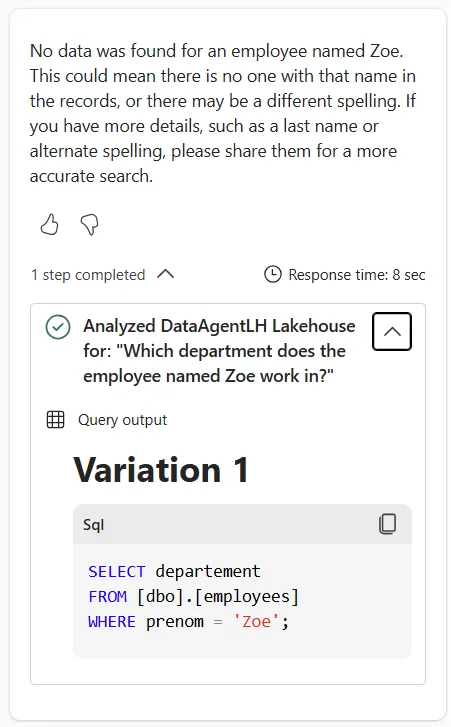
The LLM powering data agent has effectively transcribed our natural language query into SQL dialect. So, we end up
with the WHERE prenom = 'zoe' predicate. And the default rules for sorting and comparing character data in the SQL Endpoint for Lakehouse - what we call a *collation*https://learn.microsoft.com/en-us/fabric/data-warehouse/collation-
are accent sensitive (And to be precise, Latin1_General_100_BIN2_UTF8).
So, zoe is different from Zoé.
How to make the Data Agent smarter about accents?
At the time of writing, there is no way to change the collation of an SQL Endpoint to one that uses accent insensitive comparison. You must do this at query time:
SELECT id, prenom, nom, departement
FROM employees
WHERE prenom COLLATE Latin1\_General\_CI\_AI LIKE '%zoe%'
This query will return Zoéeven if the search term is zoe. You can instruct the data agent to use this construction through data source-specific instructions.
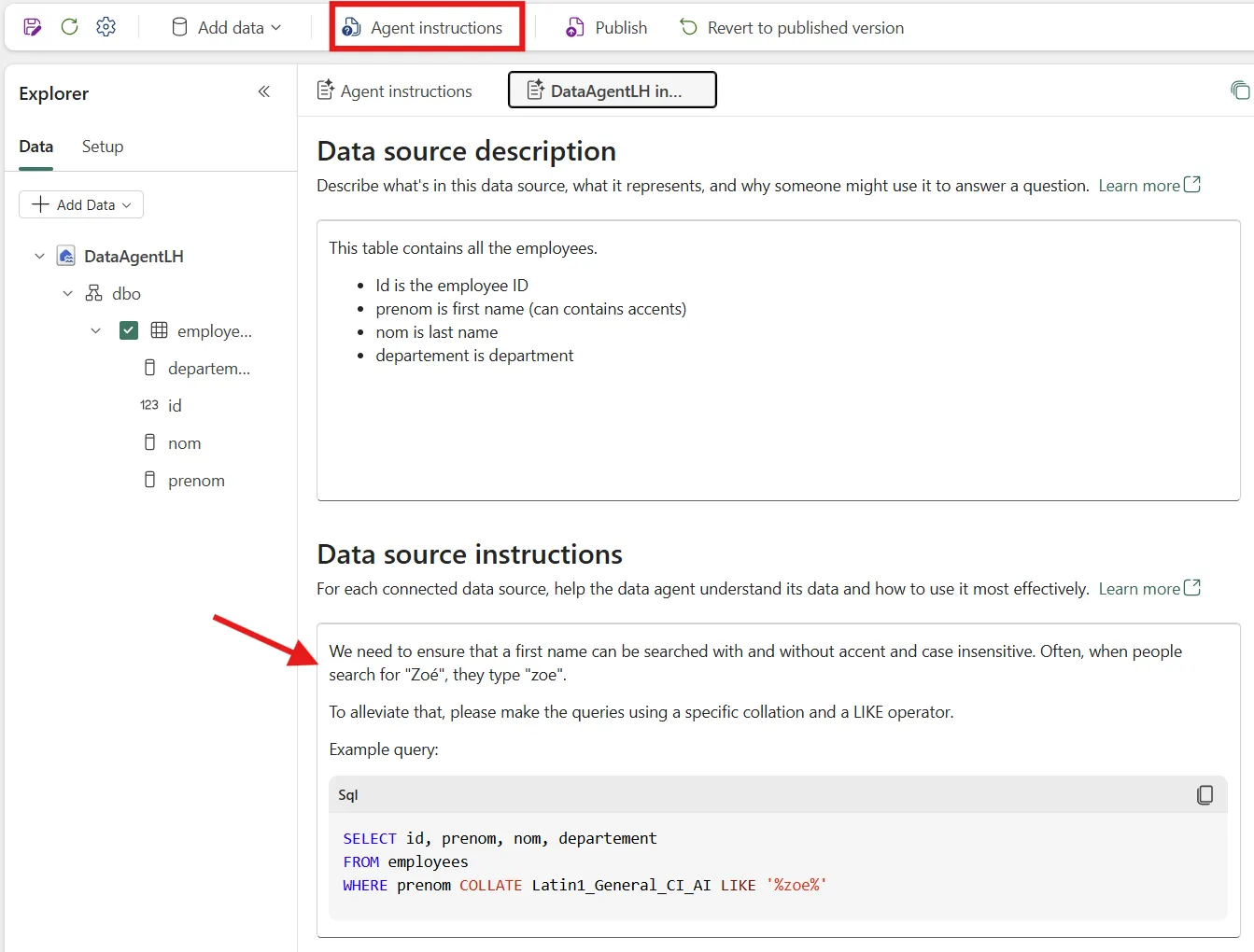
Once the custom instructions are added, let’s ask our question again.
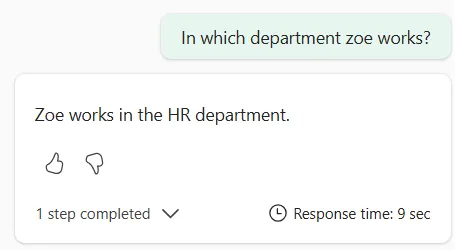
We found Zoé!
A word of caution about performance
I haven’t looked at the internal implementation details, but what we know for sure is that delta file format does not understand SQL-specific collations. That means the physical storage of data is not organized to query effectively data with the right way to compare letters. The SQL engine will probably have to scan the entire dataset to make this filtering.
If it’s a one-off query and you have thousand of records, you’re probably good with the solution above. If you’re running this query often and/or have millions of records, you are better off computing a new column with normalized value.